Family Savings
Family Savings is the second balance in the BuckMe app. Money moves into it from checking and never comes back out, but Wasted and Busted cannot touch it either. Filling it goal by goal is the story-long task Save for the Future, and guides tie a full account to the best ending.[1–4]
Profile
- Category
- Savings account in BuckMe
- Opens
- Buck Me, Chapter 1
- Paid in from
- BuckMe checking, anywhere, from the phone
- Withdrawals
- None, deposits are final
- Lost on Wasted or Busted
- Never
- Top goal
- $2,000,000
- Best ending
- Full account reported; $2,000,000 per most guides, Beebom advises $3,000,000
How to pay in
Family Savings has no ATM of its own. Cash from your pocket goes into BuckMe checking at any ATM, and from checking you move it into Family Savings in the app, wherever you are standing. The first transfer is scripted, as Buck Me ends with you moving the $100 welcome gift across. After that the choice is yours, and it is one-way. Money in Family Savings cannot be spent or withdrawn, and it is the only balance that death and arrest never reduce.
- Pocket cash > ATM > checking
- Checking > BuckMe app > Family Savings
- Nothing comes back out
The six goals From one guide
Save for the Future has no map marker and runs for the whole story. Reaching a goal raises the checking limit and sometimes adds a discount, and the next goal only appears after more story progress. The amounts below are PowerPyx's; no second guide has checked each one, and the perks of the last goal are still blank there.
- Buckin' Broke, $5,000: checking limit $15,000
- BuckeDry, $10,000: limit $100,000, 20% off RydeMe rides
- BuckMe Gold, $100,000: limit $500,000, 20% off garage purchases
- BuckMe Premium, $500,000: limit $2,000,000, 10% off liveries. Chapter 4 gives you this tier whatever you have saved
- Rich as Buck, $1,000,000: no new perk
- Final goal, $2,000,000: limit and perk not published
Family Savings and the ending From guides
This is why the account matters beyond discounts. LibertyCity says the best ending needs $2,000,000 in Family Savings together with a maxed relationship, and that the same run with less saved gives the good ending instead. Pocket cash and other balances do not count. Beebom also treats $2,000,000 as the cap and describes a shorter, bleaker finish below it, though its summary table advises having $3,000,000 put away. Both say to check the balance before the final missions, and neither has shown the exact check the game runs.
When to lock money away
Money in Family Savings is safe and useless at the same time, so timing matters. Early on, get at least $5,000 across before Recalibration and Tourist Trap, because the pocket cash you carry into them is lost. In the middle of the game keep enough in checking for garages, cars and weapons, since a transfer cannot be undone. Once the story is close to its end and there is little left to buy, move everything across.[1][6]
Questions and answers
How much Family Savings do you need for the best ending in GTA 6?
What does Family Savings do in GTA 6?
What is the maximum Family Savings in GTA 6?
The last goal PowerPyx lists is $2,000,000. What that final tier unlocks is not published.[1]
Does money in checking count for the ending in GTA 6?
No, according to LibertyCity. Only the Family Savings balance counts, not pocket cash and not other account balances.[3]
Related entries
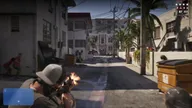
BuckMe and the cash you carry
In GTA 6 the bank is a phone app. A Fleeca branch turns Jason down in the Chapter 1 mission Buck Me, so the money…Save for the Future
GTA 6 Save for the Future walkthrough: move money into BuckMe Family Savings to hit each goal, with every perk and…Buck Me
GTA 6 Buck Me walkthrough: as Jason, meet Lucia at the Fleeca bank in Key Lento, get the BuckMe app and move money…The End of the Road
GTA 6 The End of the Road walkthrough and all endings: the high-rise raid, the bridge roadblock, Swim for It or No…
The bond between Jason and Lucia
Whether the two move through the story as a couple or as accomplices is your call.
Money guide
The best way to earn in GTA 6 changes with each chapter: skip grinding in Chapter 1, sell cars to Moses in Chapter 2…Recalibration
GTA 6 Recalibration walkthrough: as Jason, bring Cal a six-pack, go fishing and grill the catch.Tourist Trap
GTA 6 Tourist Trap walkthrough: Jason and Lucia take Mattia's job and pick up a bag from a Visitor Center locker.Updated:
Sources
- 1. www.powerpyx.com · November 18, 2026
- 2. www.powerpyx.com · November 18, 2026
- 3. libertycity.net · November 20, 2026
- 4. beebom.com · November 23, 2026
- 5. www.powerpyx.com · November 18, 2026
- 6. www.powerpyx.com · November 18, 2026